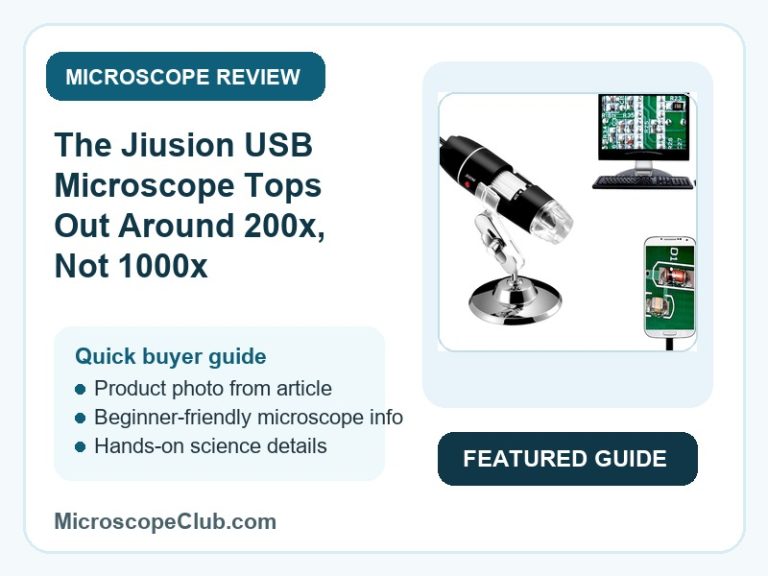
This Jiusion USB microscope review starts with the number that actually matters: a 4.3-star average from 24,566 buyers, earned not because the device hits the 1000x magnification printed on the box, but because it delivers a genuinely useful 200x-800x inspection tool for a budget price. Verdict: recommended for PCB work, coin and stamp inspection, and letting kids explore the micro world, provided you mentally discount the 1000x claim; skip it if you need lab-grade cell or slide microscopy. Reviewers consistently confirm the sensor, optics, and plug-and-play USB connection outperform expectations for the category, while the headline zoom figure is the one claim that draws repeat criticism.

✅ Pros
- Strong value for money — clear picture quality and easy USB connection at a budget-friendly price point
- True plug-and-play setup on Windows 10 and 11, no driver install required for most users
- Sensor and optical quality that reviewers describe as surprisingly good for an entry-level device
- Genuinely useful for PCB inspection, soldering, and electronics repair work
- Fast, well-packaged delivery that makes it a low-risk gift for kids or hobbyists
❌ Cons
- Advertised 1000x magnification is overstated — real usable zoom is closer to 200x-800x
- Included stand is flimsy, hard to adjust, and prone to tipping at higher magnification
- Companion software can be finicky and occasionally requires patience to get working
- Windows 10 compatibility is inconsistent — works for some users, fails for others
What to Look for in a USB Digital Microscope
The single biggest trap in this category is the printed magnification number. Manufacturers advertise a maximum figure measured against a specific display size, but the number that actually matters is the effective, usable zoom once the image is viewed on a normal monitor or phone screen. The Jiusion’s own reviewers found this out firsthand, reporting real-world magnification closer to 200x-800x rather than the advertised 1000x — a gap worth checking on any USB microscope before you buy, not just this one.
Beyond the zoom claim, three specs decide whether a USB microscope is actually usable day to day: the illumination system (LED count and brightness control), the focusing mechanism (a stable focus/zoom knob versus a loose slider), and device compatibility (USB-only versus USB plus OTG Android support). A wobbly stand or a fixed-brightness ring light can undo an otherwise decent sensor, which is exactly the complaint pattern that shows up in the Jiusion’s included accessories. Our USB microscope buying guide breaks down how these specs compare across the current budget-to-mid-range field.
Build material also signals durability at this price tier. A metal enclosure, like the one on the Jiusion, tends to survive daily handling on a workbench better than an all-plastic housing, even when the bundled stand itself is the weak point rather than the camera body.
Who Should Buy a USB Digital Microscope?
USB digital microscopes in this price range suit hobbyists and DIY repair technicians who need to see small detail on a screen rather than through an eyepiece — PCB soldering, coin and stamp inspection, watch servicing, and general “what does this actually look like up close” curiosity. Because the image displays on a monitor or phone instead of requiring you to hunch over an optical eyepiece, they’re also a natural fit for group use, letting a parent and child look at the same specimen at the same time.
Students and educators get value here too, provided expectations are set correctly: this is an inspection camera for exploring surfaces, textures, and small components, not a substitute for a compound optical microscope used to view prepared slides or cellular structures. Readers comparing manufacturers before buying can check our guide to the leading microscope brands to see how Jiusion’s budget positioning stacks up against other names in the category.
Who This Is For
The Jiusion suits electronics hobbyists doing PCB and solder inspection, coin and stamp collectors, watch servicers, and parents who want an affordable way to show kids skin, hair, or household objects magnified on a screen. It is not the right pick for anyone who needs true 1000x optical resolution for biological slides, cell structures, or bacteria — reviewers are explicit that the device caps out well below that figure in practice.

Full Specifications
| Spec | Value |
|---|---|
| Light Source Type | LED |
| Real Angle Of View | 120 Degrees |
| Magnification Maximum | 1000 x |
| Voltage | 5 Volts |
| Compatible Devices | Personal Computer, Smartphone |
| Objective Lens Description | Variable magnification from 40x to 1000x; likely multi-layer coating |
| Power Source | USB rechargeable |
| Item Weight | 200 Grams |
| Enclosure Material | Metal |
| Color | Standard |
| Model Name | Jiusion-01 |
| Brand | Jiusion |
| UPC | 606814242898 606814242263 |
| Manufacturer Part Number | Jiusion-1000x |
Magnification and Optical Performance
The Jiusion Jiusion-01 advertises variable magnification from 40x to 1000x through its adjustable objective lens, but reviewer measurements tell a more useful story. One buyer calculated effective zoom directly from the screen image: “It’s not really 1000X magnification. On my 32″ monitor the 100 micron circle … is about 2 centimetres which would make it 200X zoom.” Another reported a similar ceiling: “640×480 so you get what you pay for, but this is definitely not 1000x magnification.”
The Jiusion Jiusion-01 reaches its highest usable zoom only after the clear plastic lens safety cap is removed from the front of the camera, a step several reviewers flagged as easy to miss. Even with the cap off, the practical range reported across reviews sits at roughly 200x-800x rather than the printed maximum — still enough to resolve PCB traces, coin detail, and fabric weave, but short of what the box implies. For readers who want a grounded reference on how magnification and resolution actually interact in imaging systems, Nikon’s MicroscopyU is a useful primer on the optics involved.
The Jiusion Jiusion-01 also requires a short working distance to focus, with one reviewer noting the device performs best “for use with distances 25cm or less, with the lower the better.” That constraint fits its intended use — close-up inspection of small objects — but rules it out for anything requiring distance imaging.
Illumination and Image Capture
The Jiusion Jiusion-01 illuminates subjects through 8 built-in LED lights arranged in a ring around the lens, controlled by an adjustable brightness dial alongside the focus knob. Reviewers describe the lighting as working well and bright enough for close soldering work, though the direct ring-light angle can flatten contrast on some subjects — one long-term user recommended casting light from the side instead for more defined shadow detail.
The Jiusion Jiusion-01 captures still images and video through its companion software, which also includes an on-screen measurement tool for sizing the smallest visible features. Buyers using it for PCB and microsoldering work specifically cite this capture function as useful for documenting repairs, while some report the software itself runs a little “finicky” until the correct camera source is selected.
Build Quality, Connectivity and Ease of Use
The Jiusion Jiusion-01 houses its sensor in a metal enclosure rated at 200 grams, connecting to a computer or Android device over USB 2.0 with the included OTG adapter. Multiple reviewers confirm true plug-and-play behavior on Windows 10 and 11 — “it’s a case of ‘plug it in, and it just works'” — while a smaller group report the opposite experience on Windows 10, needing to fall back to an older OS or a different USB port to get a stable connection.
The Jiusion Jiusion-01 ships with a metal stand for hands-free use, but this is the component reviewers criticize most consistently, calling it “difficult to adjust, not very stable and tips over easily because the base is so small.” The workaround several buyers landed on is hand-holding the camera and resting the lens hood directly on flat subjects to lock focal distance before adjusting zoom. Jiusion sells a sturdier stand with built-in adjustable LEDs separately for buyers who plan to use the microscope regularly at higher magnification.
What Customers Say
The Jiusion USB microscope holds a 4.3 out of 5 average across 24,566 ratings, with sentiment running roughly 75-78% positive, around 10% mixed, and 10-12% negative. The positive majority centers on value for money, ease of use, and image quality, while the negative and mixed reviews cluster almost entirely around the overstated magnification figure and the weak included stand.
“I am absolutely amazed that you can get a sensor and optics of this quality in such an affordable microscope,” one reviewer wrote, while a verified buyer working on watch servicing noted the device “provides clear and detailed images, which is essential for examining the intricate components.” Another, more critical of the marketing, put it plainly: “The claimed 1000x magnification is rather an hilarious overstatement, but it’s still a fun device.”
The review sample shows no signs of manipulation — feedback is specific to real use cases (PCB inspection, coin collecting, watch repair), verified-purchase badges are consistent, and complaints track a single plausible spec issue rather than a scattered pattern. Readers wanting a general framework for telling genuine product feedback from inflated review activity can reference Consumer Reports’ electronics reviews as an independent benchmark.
Final Verdict
CONSIDER: the Jiusion USB digital microscope is a solid pick if you need an affordable inspection camera for PCB work, small-object hobbies, or introducing kids to magnification, provided you mentally discount the 1000x claim down to its real 200x-800x ceiling and budget for a better stand if you’ll use it often — anyone who actually needs lab-grade optical microscopy should look elsewhere.
Frequently Asked Questions
Does the Jiusion microscope actually reach 1000x magnification?
No. While 1000x is the advertised maximum, reviewer measurements against known reference objects put the real usable zoom closer to 200x-800x, even after removing the front lens safety cap that’s required to reach the highest setting.
Will the Jiusion microscope work with an iPhone or iPad?
No. The listing explicitly states it is not compatible with iPhone or iPad. It works with Mac and Windows computers and with Android smartphones that support OTG (On-The-Go) USB functionality.
How do I know if my Android phone supports this microscope?
Your phone needs OTG (USB On-The-Go) support to accept the adapter. The manufacturer recommends downloading a free app called “USB OTG Checker” to confirm compatibility before connecting.
Do I need to install drivers on Windows to use it?
Most reviewers report true plug-and-play behavior on Windows 10 and 11, with the microscope appearing automatically as a camera source with no driver installation needed. A smaller number report inconsistent recognition on Windows 10 specifically, so results can vary by system.
What is the closest focusing distance?
Reviewers report best results at working distances of 25 centimeters or less, with closer distances producing sharper detail. The camera has two focal points — a standard close-up range and an ultra-zoom range for the smallest details.
Can it record video and take photos, not just live view?
Yes. The companion software supports capturing screenshots and recording video in addition to live viewing, and includes a built-in measurement function for sizing the smallest visible features on screen.
Is the included stand good enough to use out of the box?
Reviewers consistently describe the bundled stand as flimsy and prone to tipping, especially at higher magnification where precise focal distance matters most. Jiusion sells an upgraded stand with its own adjustable LED lighting separately for buyers who plan regular use.
Conclusion
The Jiusion USB digital microscope earns its place as a budget PCB inspection tool, hobbyist gadget, and kid-friendly science toy, not as a substitute for a real optical microscope. Buy it once you’ve reframed the 1000x figure as a marketing ceiling rather than a literal spec, and plan to upgrade the stand if you’ll be using it at maximum zoom regularly.
Have you used the Jiusion microscope for PCB work, coin collecting, or a classroom project? Share what you found under magnification in the comments below. If you’re new to using a device like this, our guide to the different types of microscopes is a good next read to understand where a USB inspection camera fits alongside compound and stereo microscopes.
Originally posted 2026-07-08 09:00:00.